
 Quick answer
The best free digital advent calendars for 2026: Advent of Code, Google's Santa Tracker, and easy homemade calendars in Google Slides, Keynote or your Calendar app. Plus Elfie, an advent calendar that hides an elf on your Mac.
Free Digital Advent Calendars: 6 Ways to Count Down to Christmas in 2026
By Divv Saxena · · 7 min read
Quick answer: The best free digital advent calendars are the ones that give you a small surprise every day without asking for money or an account. Advent of Code (12 days of puzzles for programmers), Google's Santa Tracker village, and a homemade calendar built in Google Slides, Keynote or your Mac's Calendar app all cost nothing. If you want a ready-made one that lives on your Mac, Elfie hides an elf on your screen every day from December 1 to 24 for a small one-time price.
An advent calendar is simple: one little door for each day of December, counting down to Christmas. The paper and chocolate kind have been around for well over a century. A digital advent calendar keeps the same idea and moves it onto your phone, browser or computer, so the "door" might be a game, a puzzle, a photo, a joke or a hidden character.
Below are the best free options we know of, how to make your own in under an hour, and what to check before you sign up for one.
What makes a good digital advent calendar
Before picking one, it helps to know what you actually want from it. A good digital advent calendar usually has:
- One small reveal per day. The fun is in the waiting. If everything unlocks at once, it is just a list.
- Something worth opening. A game, a puzzle, a memory, a joke or a tiny bit of Christmas magic.
- Low effort. It should take a minute or two, not a whole evening.
- No catch. Many "free" calendars are really giveaways that collect your email. That can be fine, but you should know what you are trading.
The best free digital advent calendars
1. Advent of Code (for anyone who likes puzzles)
Advent of Code is a free advent calendar of small programming puzzles, made by Eric Wastl since 2015. Each puzzle unlocks at midnight US Eastern time, and you can solve it in any programming language you like. Solve the first part and a second, trickier part appears.
Since 2025 the event runs for 12 days instead of 25. It still starts on December 1, so Day 1 is December 1, and the puzzles finish in mid-December. There is no longer a global leaderboard, but you can make a private one with friends or coworkers.
It is a lovely calendar if you code, or want to learn. You do not have to solve the days in order, and it is fine to skip one.
2. Google's Santa Tracker village
Google's Santa Tracker has run for years and works like a family-friendly advent calendar. In past Decembers, Santa's Village has opened around December 1 and unlocked new games and activities through the month, from coding games for kids to map quizzes, before tracking Santa's flight on Christmas Eve. It runs in a browser, so it works on a Mac, an iPad or a phone.
Google sets the exact line-up each year, so check the site once December starts to see what is new.
3. Your own calendar in Google Slides or Keynote
This is the most personal option and it is completely free. Make one slide with a grid of 24 boxes, numbered 1 to 24. Then make 24 more slides, one for each surprise: a photo, a joke, a song link, a coupon for "one cup of cocoa made by me", or a short note.
Link each box on the grid to its slide. In Google Slides, select the box, choose Insert, then Link, and pick the slide. In Keynote, select the box, choose Format, then Add Link, then Slide. Share it with your family or partner and ask them to open only today's box. (They will peek. That is part of the fun.)

4. A calendar that lives in your Calendar app
If you live in your calendar, put the advent calendar there. Create 24 all-day events from December 1 to December 24, one per day, and write the surprise in each event's notes: a joke, a small task, a link to a favourite Christmas song, or a reminder to step outside for five minutes.
Turn on a morning alert for each one and the calendar comes to you. You can also make a shared calendar and invite family members, so everyone gets the same daily surprise.
5. A shared photo calendar
A shared photo album makes a sweet calendar for family that lives far away. On a Mac or iPhone, iCloud Shared Albums in the Photos app let you invite people to an album. Add one photo a day, maybe a memory from a past Christmas, with a short caption. Google Photos has shared albums that do the same job across devices.
6. Brand advent calendars with daily giveaways
Every December, lots of shops and brands run online advent calendars with a deal or giveaway behind each door. Some are genuinely fun. Just read the small print first: most want your email address, and many of the "prizes" are discount codes rather than gifts.
Free vs paid: when a small price is worth it
Free calendars are great, but they take some effort. A homemade one needs 24 surprises from you, and the big free events run on their own schedule.
A paid calendar makes sense when you want something that just works every morning with no setup. That is why we made Elfie, a festive menu bar app for Mac.

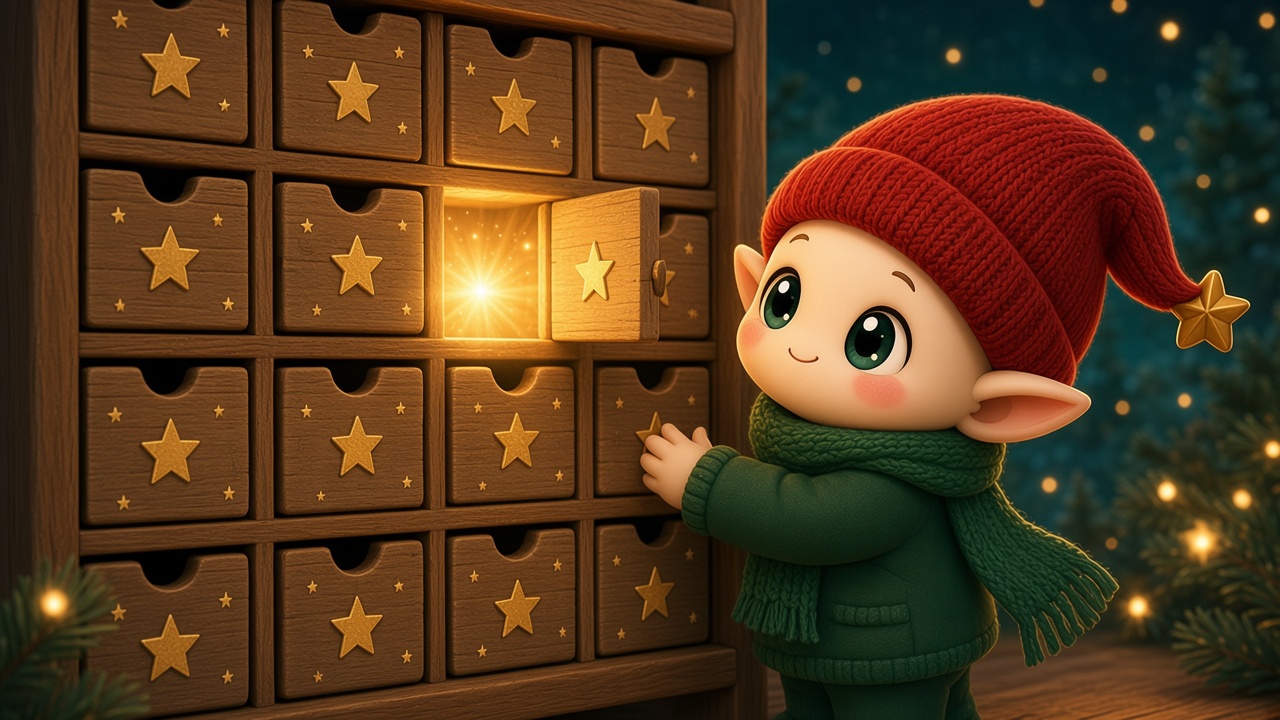
Here is how it works. From December 1 to 24, our elf Pipkin hides somewhere on your screen once a day. Find him and you get a joke or a fun fact, and you unlock a new Christmas wallpaper for your Mac. It sits quietly in your menu bar the rest of the time.
To be upfront: Elfie is a free download, but it needs a licence to run, and there is no free trial. A licence costs $7 for one Mac or $12 for up to five Macs, paid once. Until November 30, 2026, the code EARLYBIRD brings it down to $5. It needs macOS 12 or later and runs on both Apple silicon and Intel Macs. A Windows version is coming in December 2026; a free early preview is available now, with the tray icon and menu only.
Looking for more festive things to put on your Mac? Our list of Christmas apps for Mac covers the best ones, and most of them are free.
Tips for keeping a digital advent calendar going
- Pick one time of day. Opening it with your morning coffee is easier to remember than "sometime today".
- Keep the surprises small. A two-line joke beats a ten-minute video you never get round to.
- Make it shared. Calendars are more fun when someone else is opening the same door.
- Do not worry about missed days. Catching up on three doors at once on a Sunday is still festive.
FAQ
Is there a free digital advent calendar?
Yes. Advent of Code and Google's Santa Tracker are both free and need no payment, and you can make your own for free in Google Slides, Keynote or your Calendar app.
When should a digital advent calendar start?
Most start on December 1 and run until December 24, the day before Christmas. Some, like Advent of Code since 2025, run for fewer days but still begin on December 1.
Can I make a digital advent calendar for my partner or kids?
Yes, and it is one of the nicest uses. A Google Slides or Keynote calendar with 24 linked slides lets you hide photos, notes and small coupons behind each day.
Is there an advent calendar app for Mac?
Elfie is an advent calendar made for the Mac menu bar. It hides an elf on your screen every day from December 1 to 24 and unlocks a new wallpaper each time you find him.
Is Elfie free?
Elfie is free to download, but it needs a one-time licence: $7 for one Mac or $12 for five. The code EARLYBIRD makes it $5 until November 30, 2026.
A little door every day
However you count down, we hope every little door makes your December a bit brighter. And if you would like an elf hiding on your Mac this year, Pipkin is ready when you are.
What changed (16 Nov 2026): Added a short note about the free Windows preview, coming in December 2026.
Tags: Advent Calendar · Digital Advent Calendar · Free · DIY Christmas · Advent of Code